UI elementsOctober 20, 20267 min read
Chips are the pills that sit in a row above a list and let you narrow it, or the wrapped cloud of options on a quiz screen where you tap everything that applies. Design systems love them. We wanted to know how often shipping iOS apps actually draw one, and what job it does when they do.
We read the free preview screens of 45 apps: the 30 highest-grossing apps in the library and 15 AI chat and language apps, 270 screens in all. Counting strictly, a selectable pill that belongs to a wrapping or scrolling set, 7 apps show a chip set. Everything that looked like a chip but was not one is covered in section 2. Every number below traces to one of those screens.
Among the 30 top-grossing apps, 3 show a true chip set in their free screens. Among the 15 AI apps, 4 do. The split by job was even: 3 multi-select sets for filters and preferences, 3 single-select sets that pick a category, and 1 row of prompt chips that act like shortcuts.
| Job | Apps |
|---|---|
| Multi-select filter or preference (3) | Yazio, ChatNow, Chat Smith |
| Single-select category (3) | AllTrails, FaceApp, Poe |
| Prompt or suggestion chips (1) | Chat & Ask AI |
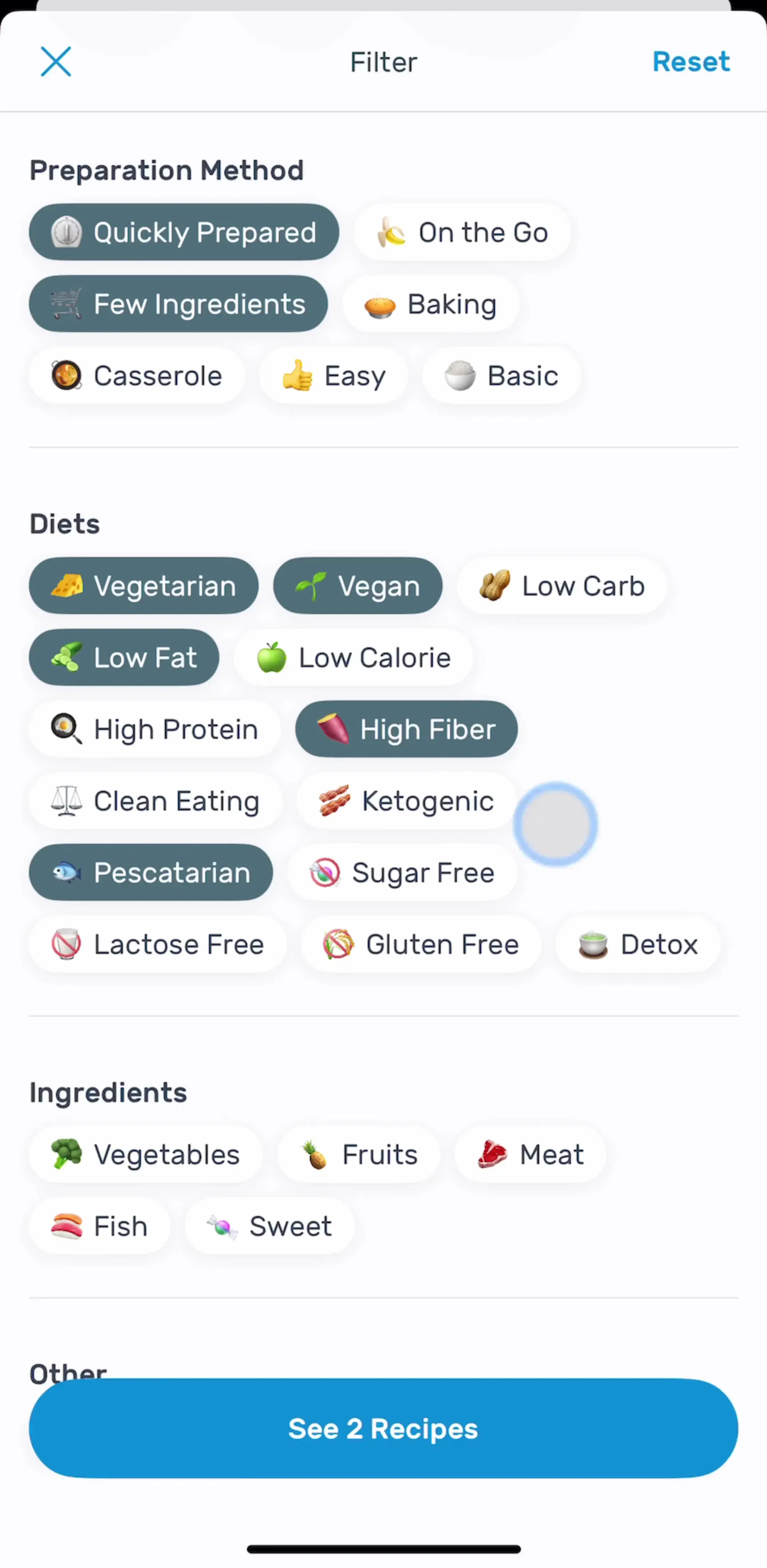
Yazio (est. $5M/mo) has the textbook screen: a recipe filter where chips wrap under headings such as Preparation Method, Diets and Ingredients, each with a small emoji, selected ones filled dark. It is the only chip set in the sample grouped under headings, and the only one on a dedicated filter screen rather than above the list or inside onboarding.
The strict count is low because three neighbours borrow the pill shape. Keeping them apart is most of the design decision.
The practical rule: if the pill changes a value and stays, it is a chip. If it switches a view and the set is short and fixed, it is a segmented control. If it navigates, it is a tab. If it only informs, it is a badge.
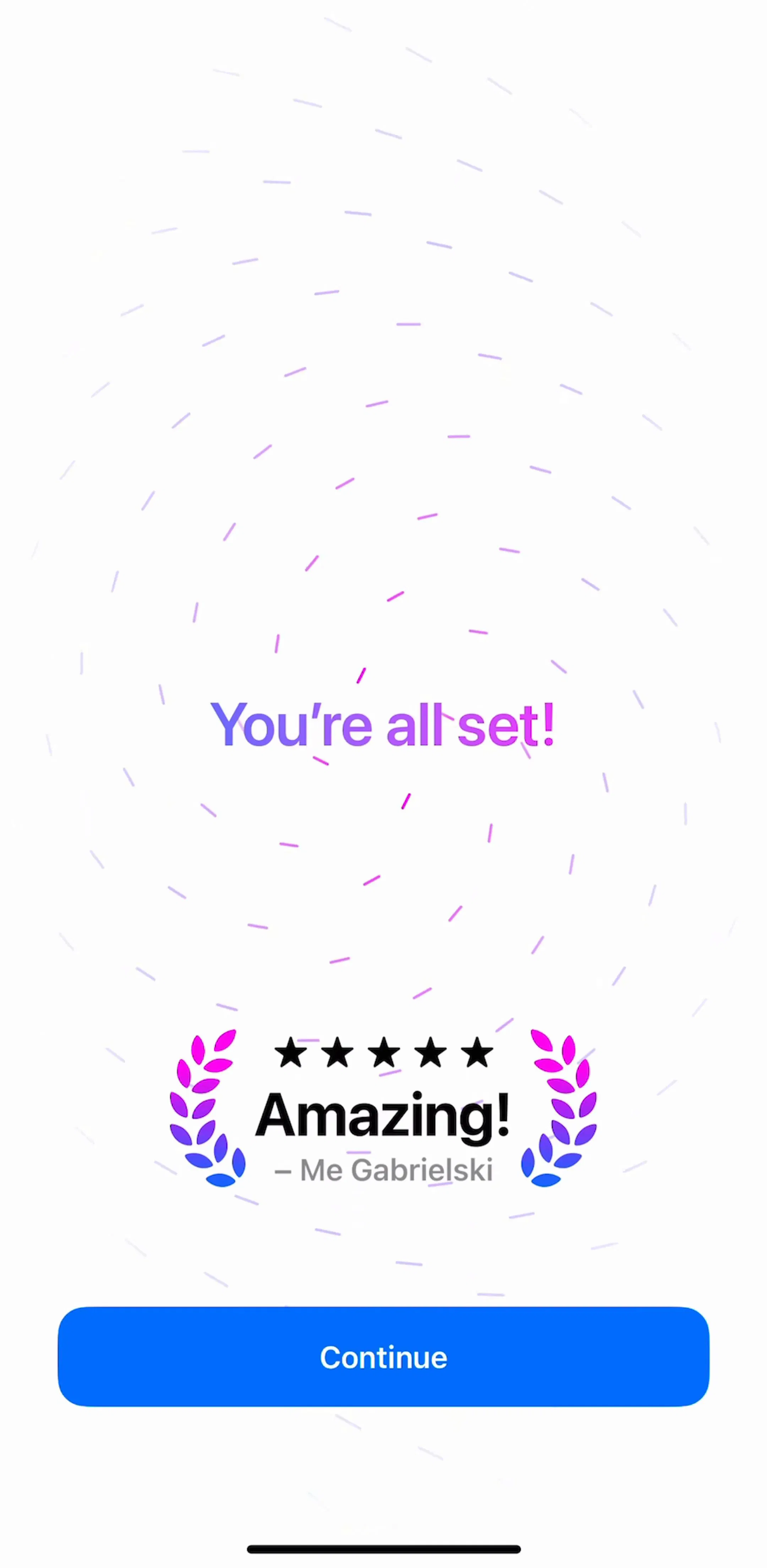
Multi-select chips show up in two places. Yazio puts them on a filter screen. The two AI apps put them in onboarding, where the chip cloud replaces a list of checkboxes. ChatNow (est. $0.6M/mo) asks which features interest you most, with Text Generation, Math Solver, Translation, Image Generation, Coding and Other as outlined chips that fill with a purple border when picked. A hand-drawn note on the screen says to choose as many as you like, which is the one sentence every multi-select chip set needs somewhere.
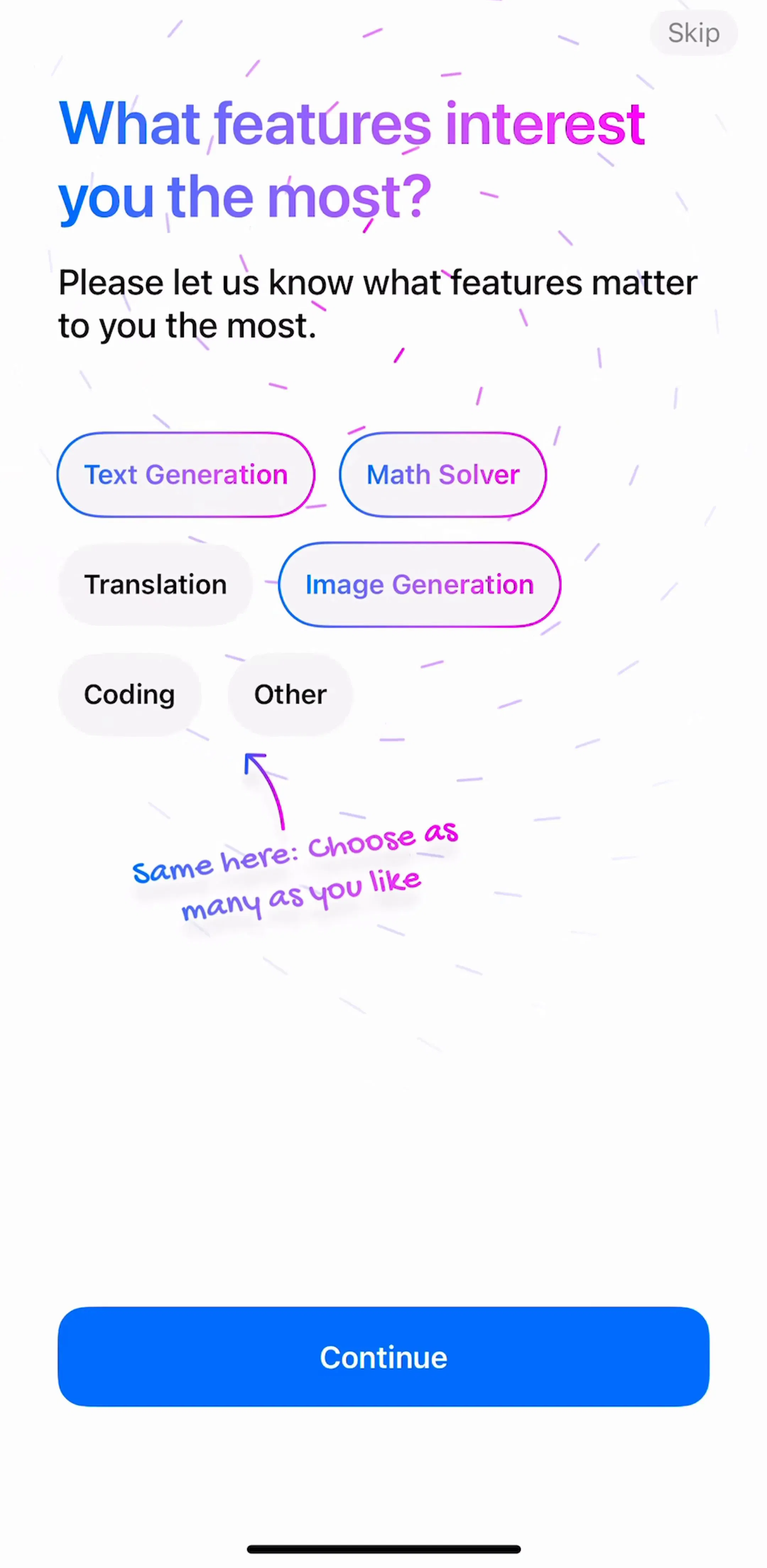
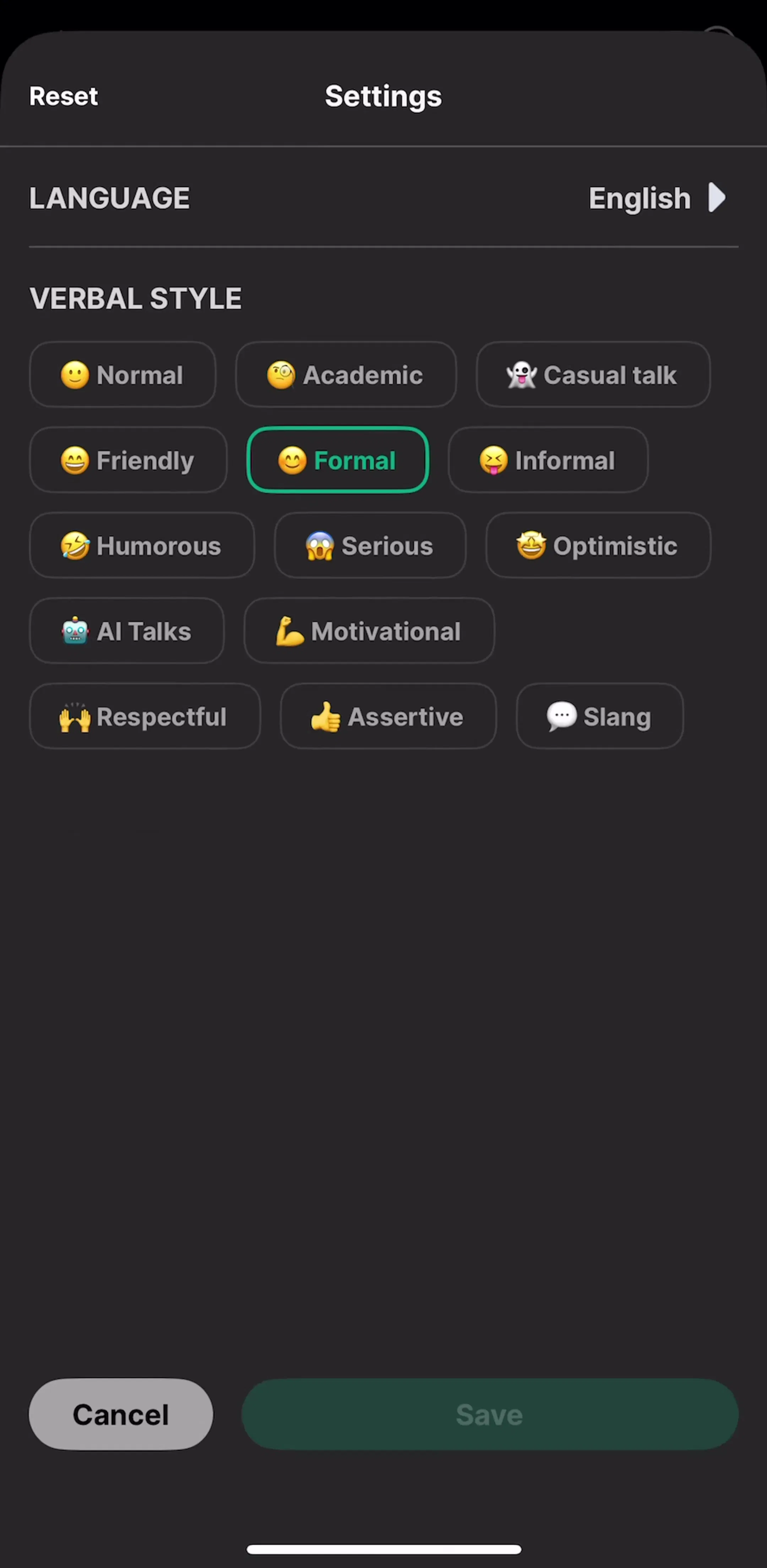
Chat Smith (est. $0.7M/mo) uses the same shape in settings for Verbal Style: Normal, Academic, Casual talk, Friendly, Formal and a dozen more, each with an emoji, the active ones outlined in green. Both apps lean on the chip cloud because the options are short labels, more than one can be true, and the set is longer than a screen of toggles would tolerate. That is the case for multi-select chips in one line.
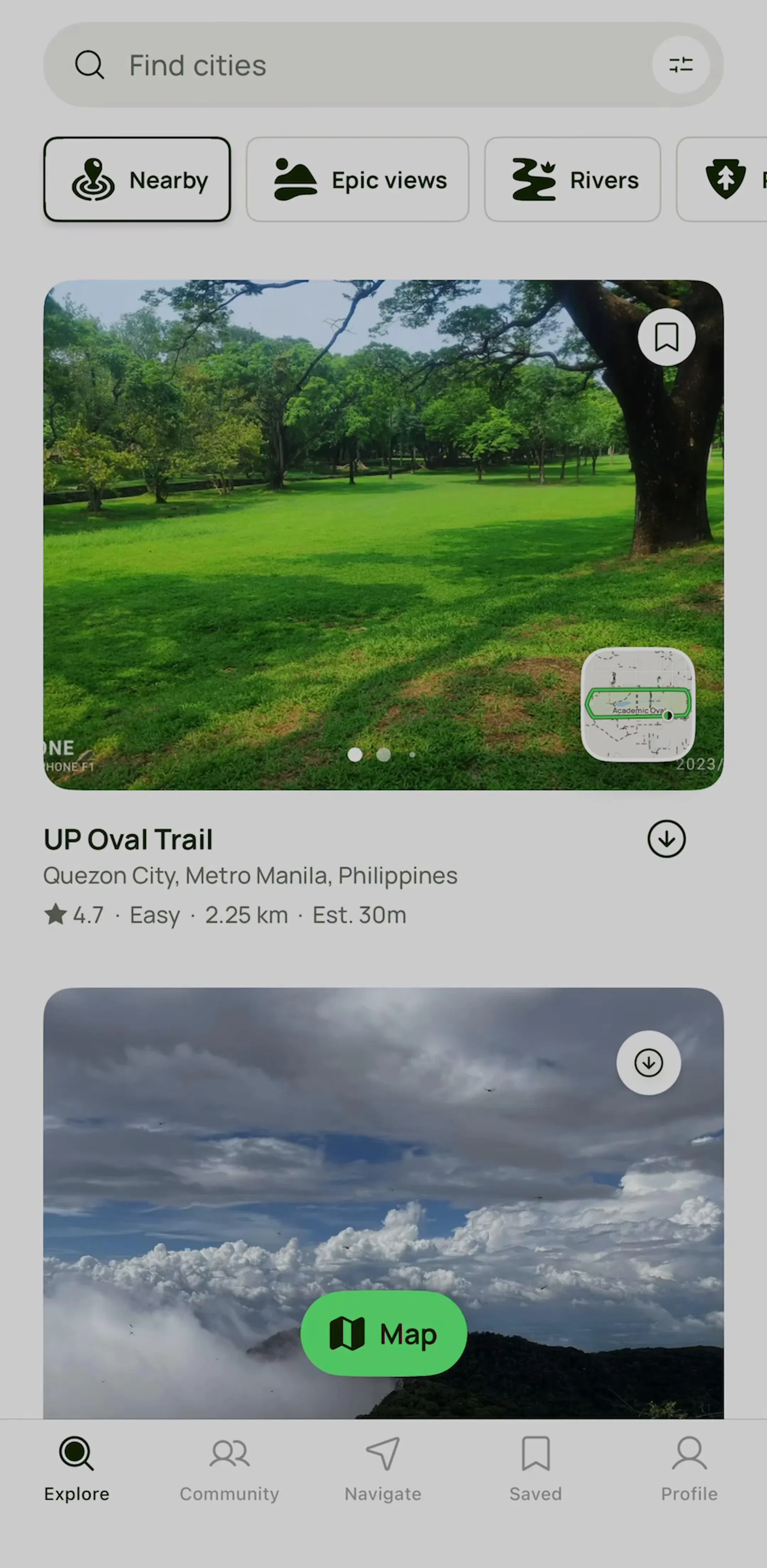
The other three apps use chips as a horizontal rail where one chip is on at a time. AllTrails (est. $6M/mo) draws Nearby, Epic views and Rivers as icon chips under the map search field, with Nearby filled black and the rest outlined, and the rail running off the right edge so you know there are more. This is the pattern most apps mean when they say filter chips, and it is the one our filter UI post treats as the quick-filter layer above a full filter screen.
FaceApp (est. $14M/mo) uses the same rail to pick a photo source: Faces, Selfies, Favorites and All above the photo grid, the selected pill filled purple. Poe (est. $0.5M/mo) filters its bot directory with Official, Search, Video, Programming, Budget, Image and Audio chips in two rows under the search field, the selected one filled grey. In all three the rail behaves like a scrolling tab bar, and the design holds because exactly one chip is filled at a time.

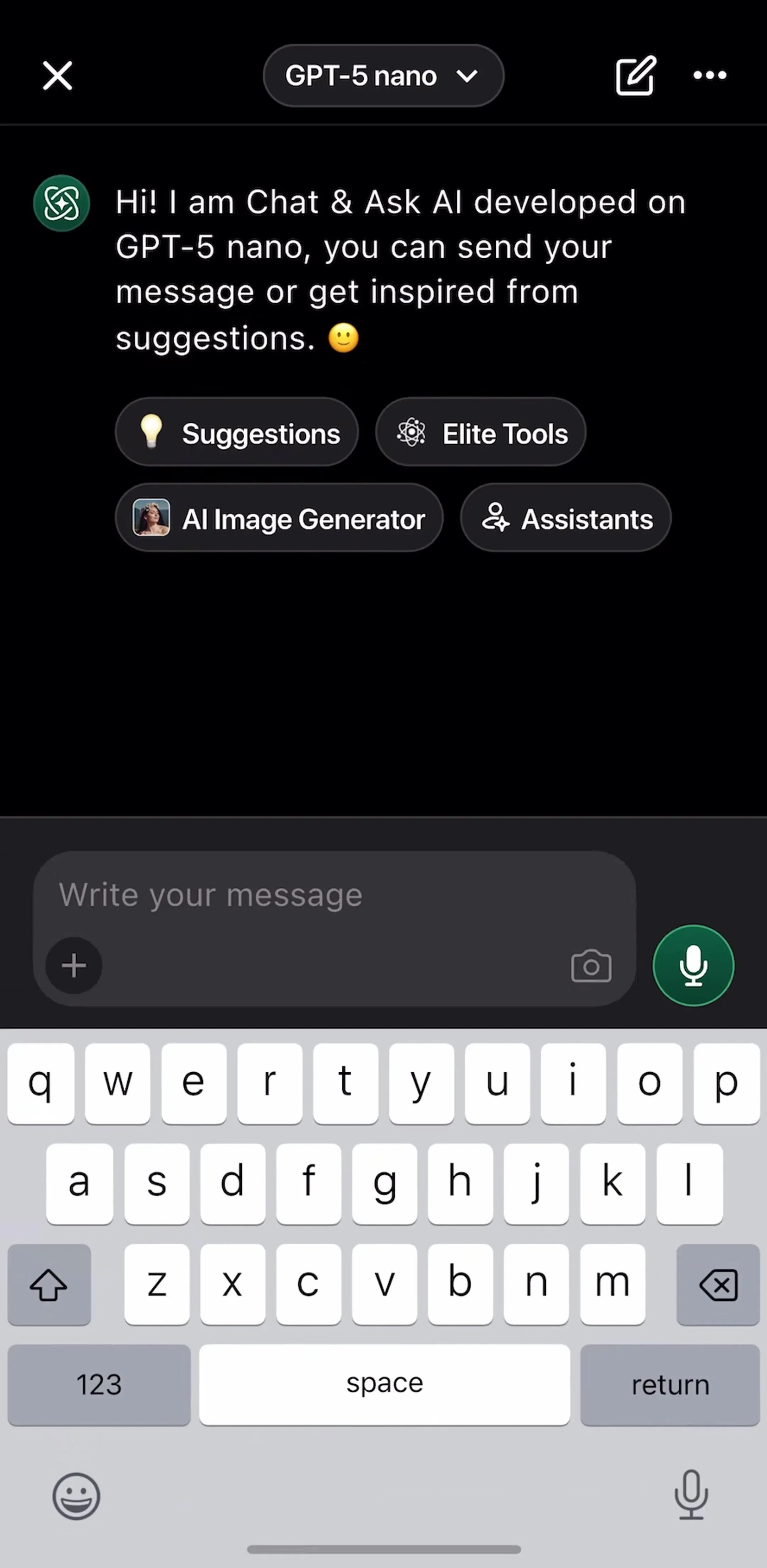
Chat & Ask AI (est. $0.8M/mo) puts four icon chips in the empty chat above the composer: Suggestions, Elite Tools, AI Image Generator and Assistants. They are not filters and they are not persistent; tapping one opens something. Strictly they are small buttons wearing chip clothing, and they belong in this post only because so many AI apps now use the shape for starter prompts. Our chat UI post covers the empty chat screen they sit on.
Every example above comes from the search and filter flows and the onboarding flows in the library.
A note on the numbers: the sample is every free preview screen of the 30 highest-grossing apps in the library plus 15 AI chat and language apps, 270 screens, the same screens any visitor sees without an account. A free preview is a handful of screens per app, not the whole app, so an app with no chips here may still use them deeper in its flows. Treat every screen described as a dated snapshot. Revenue figures are third-party monthly estimates from our library, useful for comparing magnitude, not audited financials.
A chip is a small pill that represents one option in a set, and that you can select or deselect. Chips come in rows or wrapped groups, so the set is the unit, not the single pill. Material calls them chips, Apple has no system control with that name, and most iOS apps draw them as rounded rectangles with a filled state for selected and an outlined state for unselected.
A pill button does something when tapped, such as Continue or Start free trial, and it usually stands alone. A chip records a choice and stays on screen in its selected state. The shape is the same, which is why the two get confused; the test is whether tapping it changes a value or triggers an action.
Use a segmented control when there are two to four mutually exclusive views and all of them must be visible at once. Use chips when the set is longer than fits on one line, when more than one option can be on at a time, or when the options are data rather than views, such as cuisines, trail features or interests.
In our sample it split evenly: 3 apps use multi-select chips for filters and preferences, 3 use single-select chips to pick a category. If the chips are filters, multi-select is the expectation. If they switch what a list shows, single-select behaves like a scrolling tab bar and should look like one, with exactly one chip filled at a time.
A wrapping group can hold dozens if they are grouped under headings, as Yazio's recipe filter does. A horizontal rail should keep the first three or four chips fully visible and let the rest peek off the right edge, which is how AllTrails and Poe handle it. Past that, the chips belong on a dedicated filter screen rather than above the content.
The search and filter flows and the onboarding flows in the mobileappdesign library are where most chip sets live. Each app is captured screen by screen, so you can see the chip row in context, with the list it filters, rather than as a cropped component.
Browse captured search and filter flows from revenue-verified iOS apps, screen by screen, with estimated revenue next to every app.
Browse search and filter flows