UI elementsOctober 13, 20267 min read
Ask two designers for a stepper and you can get two different drawings. One draws a row of numbered circles joined by a line, the step indicator that most design systems call a stepper. The other draws a small pair of plus and minus buttons, which is what Apple means by Stepper on iOS. Both are fair answers, and they solve unrelated problems.
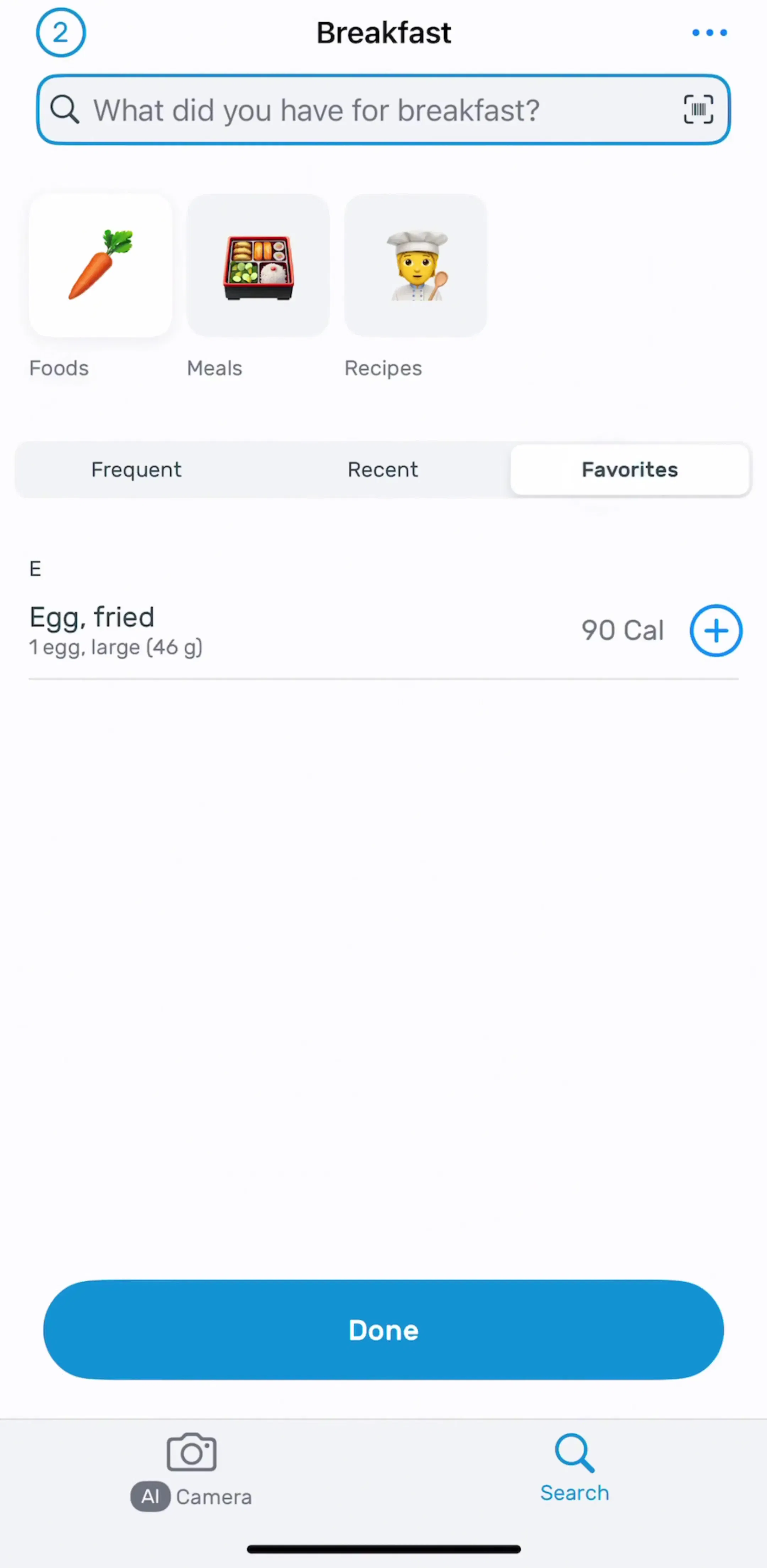
To see which one shipping apps actually use, we read the free preview screens of the 30 highest-grossing apps in the library, 159 screens in all. 12 of those apps show some kind of step indicator. None shows a plus and minus stepper. Every number below traces to one of those screens, and every app named has its full flows in the library.
The step indicator answers a question about the flow: where am I, and how much is left? The plus and minus stepper answers a question about a value: one more, or one less? A designer who mixes them up ends up with a sign-up flow that looks like a quantity picker, or a cart that looks like a wizard.
This post spends most of its time on the step indicator, because that is what the screens are full of. Section 6 comes back to the plus and minus control and why it barely shows up.
Across the 159 screens, step indicators fell into six groups. The vertical trial timeline was the most common by a clear margin, and it lives on the paywall, not in onboarding.
| Style | Apps |
|---|---|
| Vertical trial timeline (5) | Strava, Dropbox, Facetune, Cleanup, AllTrails |
| Continuous progress bar (2) | Duolingo, Canva |
| Segmented bar (2) | Flo, Cleaner Guru |
| Dots (1) | Picsart |
| Numbered steps with labels (1) | Dropbox |
| Checklist while a plan is generated (1) | Learna |
| Plus and minus stepper (0) | None in the sample |
Dropbox appears twice, once for its trial timeline and once for the numbered steps in its desktop setup, which is why the rows add up to more than 12.
Cleaner Guru (est. $5M/mo) shows the segmented bar plainly: three short segments across the top of its onboarding screens, the filled part showing how far along you are. The strip runs from the launch screen to an onboarding step to the trial activation screen that follows.
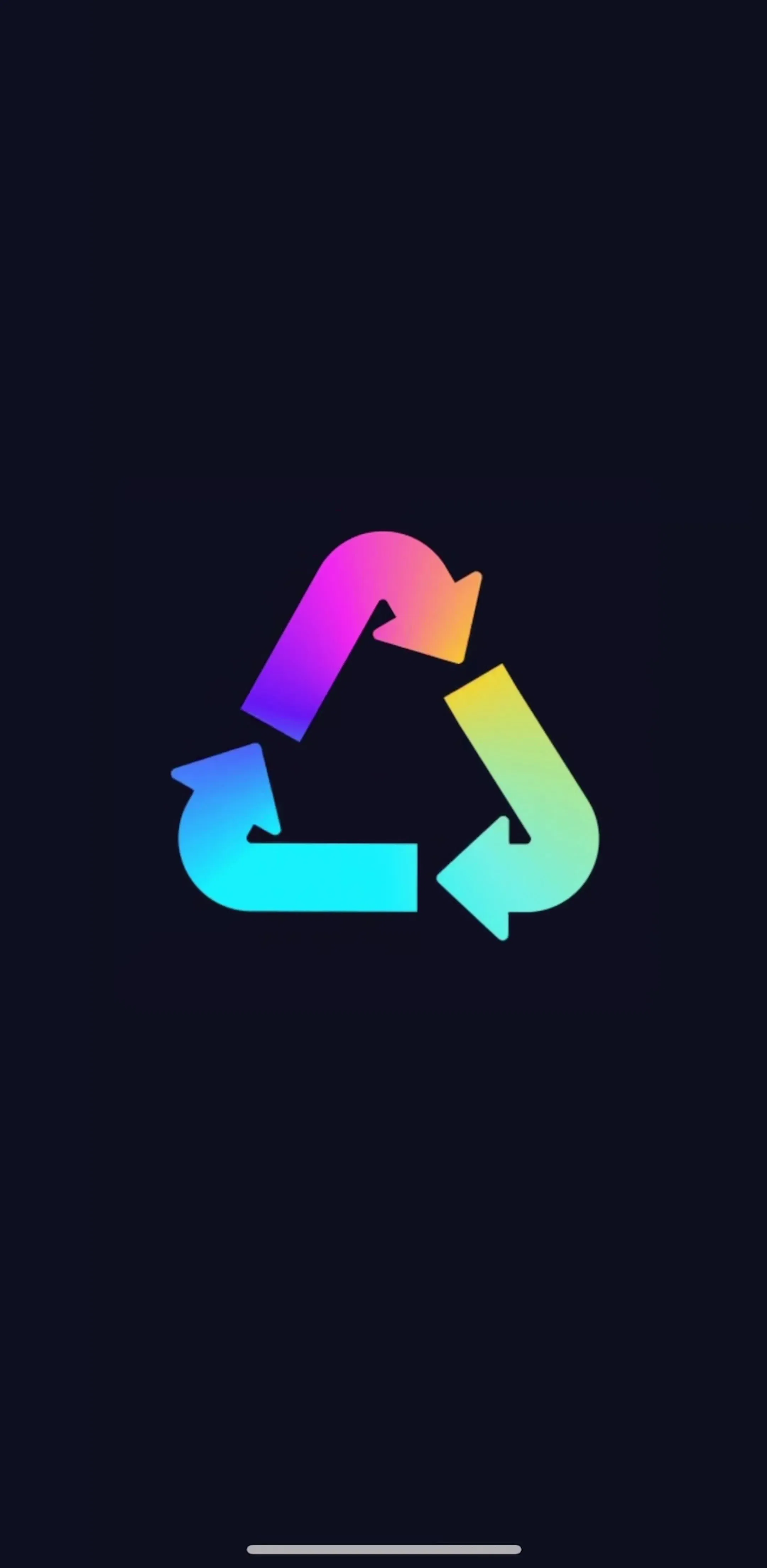
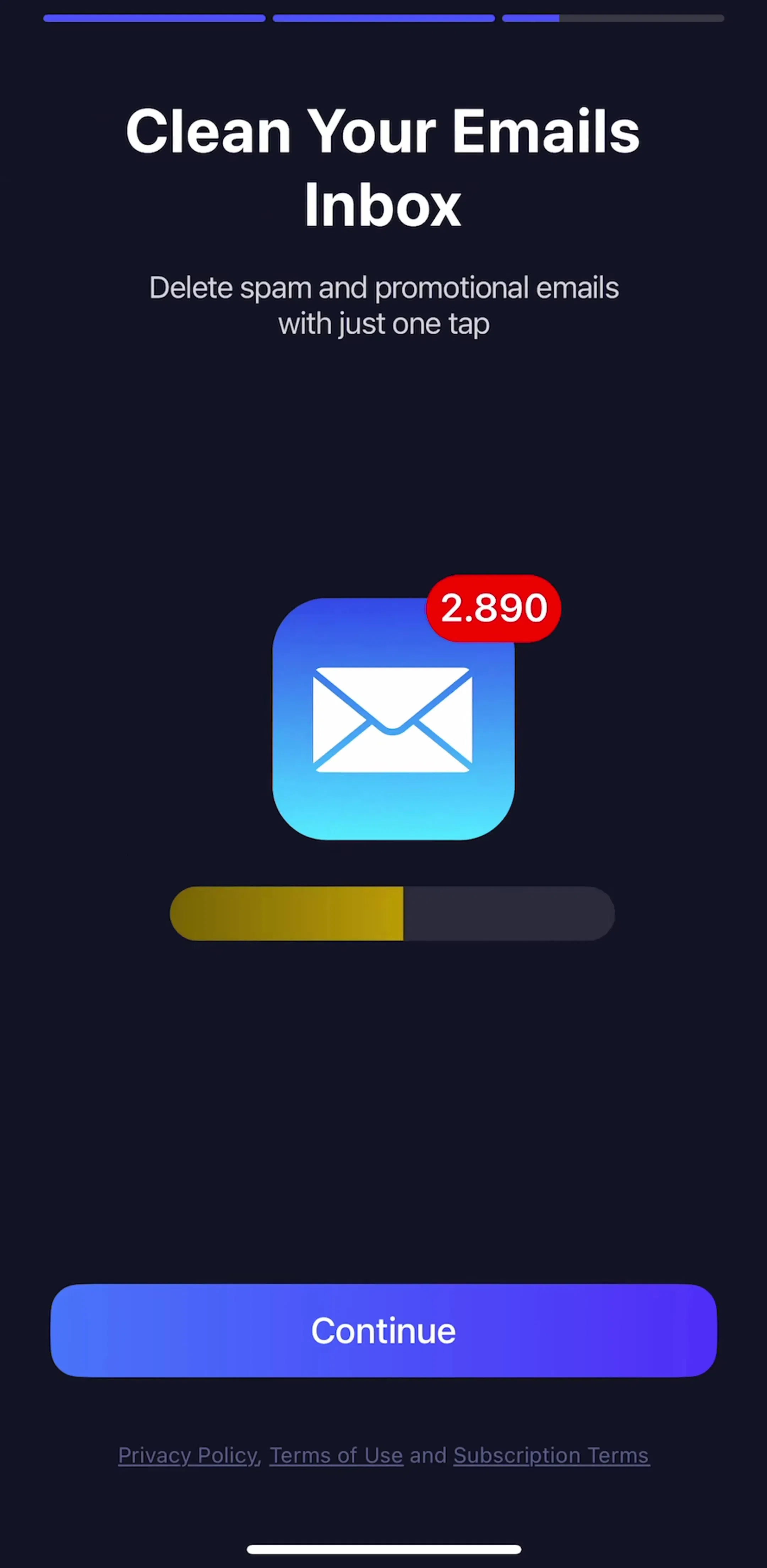
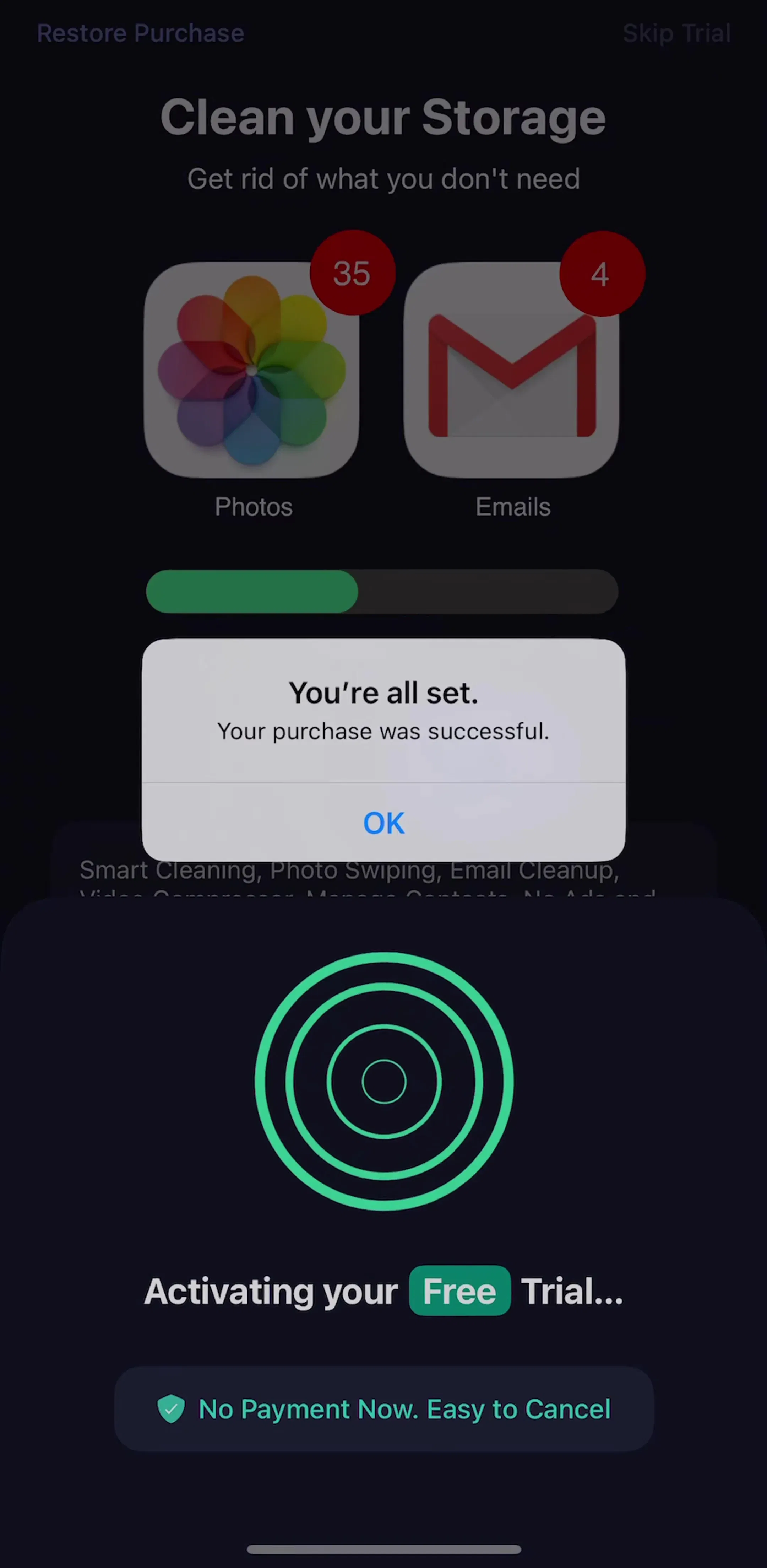
A segmented bar is a promise. Three segments say there are three screens, and the person will notice if a fourth appears. That suits short, fixed sequences like Cleaner Guru's, or Flo (est. $9M/mo), which draws a row of thin segments across the top of a Did you know? card in its onboarding, closer to a stories viewer than a form.
A continuous bar makes a softer promise: you are getting closer. That suits long or branching question flows, where the number of steps changes with the answers. Duolingo (est. $48M/mo) uses one above its How old are you? question, and Canva (est. $33M/mo) one above its AI consent screen. Our progress bar UI post covers this onboarding bar in more depth, including why it measures motivation rather than work.
Only one app in the sample used the textbook stepper, numbered circles with a label under each. Dropbox (est. $15M/mo) puts Start, Scan and Install along the bottom of the screen that connects the phone to a computer, with the current step filled in blue and a matching number above the camera frame.
That is the honest use case. The steps are few, each one is a real task with its own name, and part of the work happens on another device, so the person needs to know which step they are on when they look back at the phone. Most onboarding flows have none of those properties, which is why the labelled stepper is rare on mobile and common on desktop checkout forms.
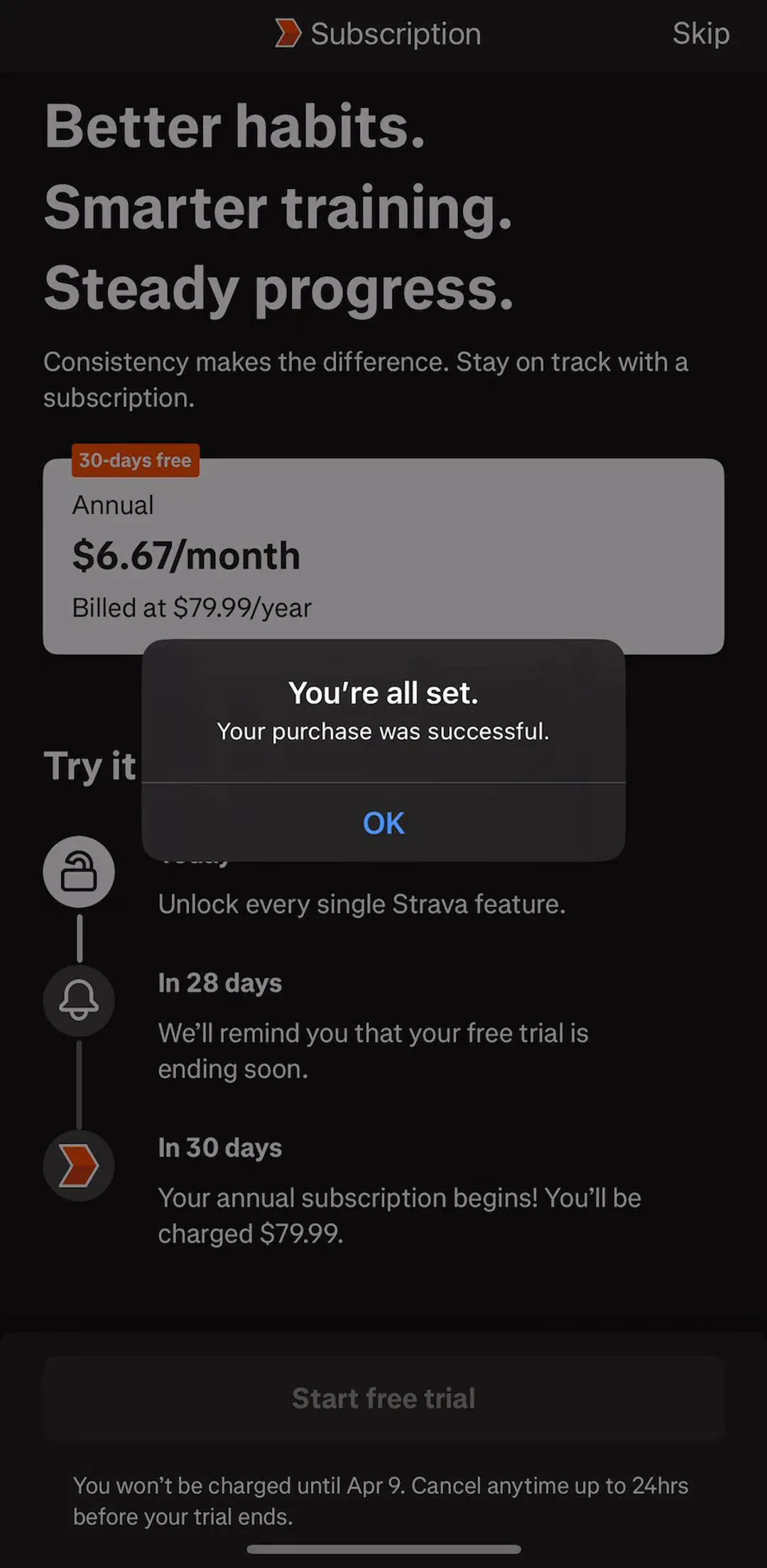
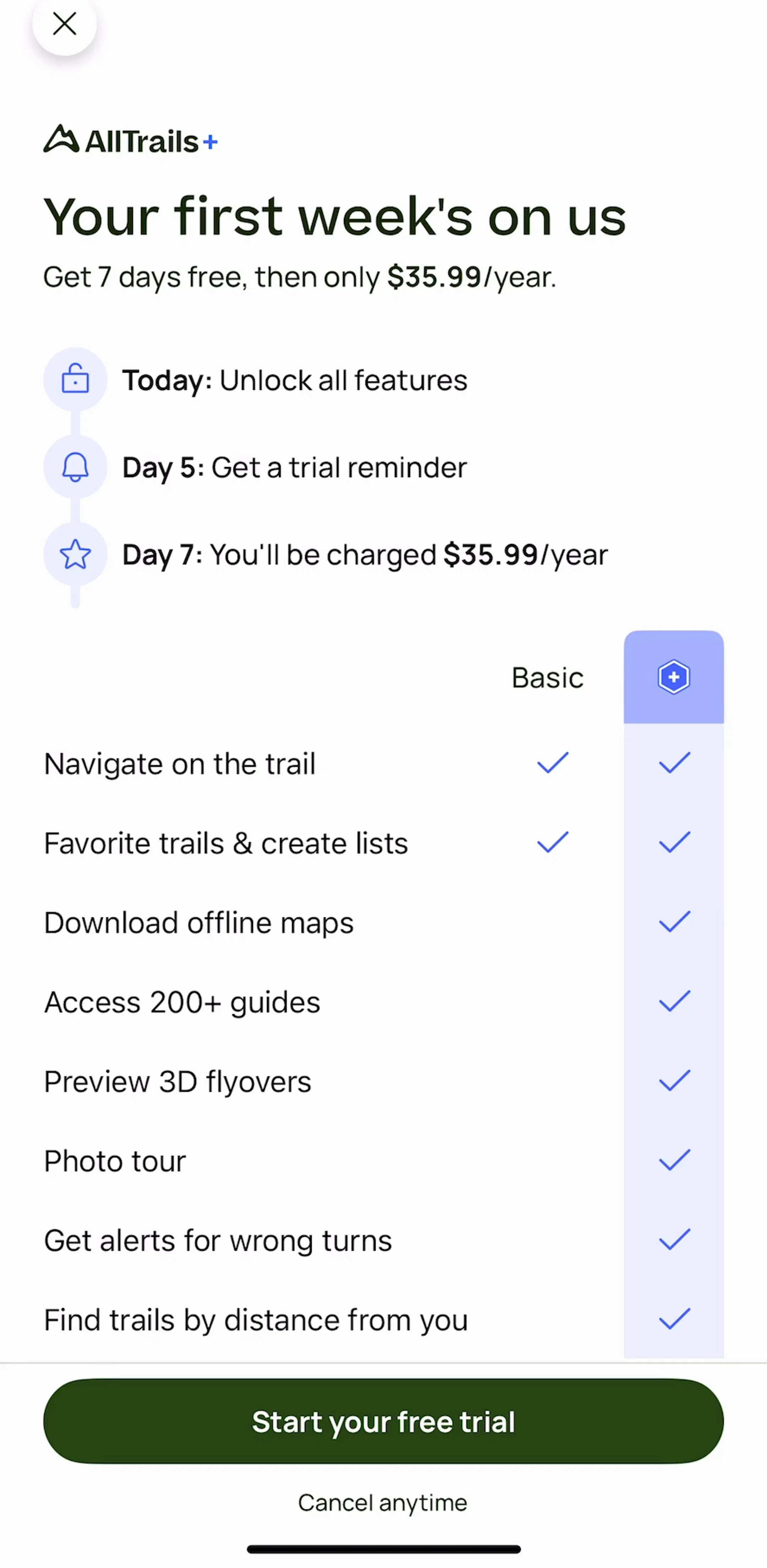
Five of the 30 apps drew the free trial as a vertical stepper: an icon per step, joined by a line, with what happens today at the top and the first charge at the bottom. Strava (est. $16M/mo) labels its later steps In 28 days and In 30 days. AllTrails (est. $6M/mo) uses Today, Day 5 and Day 7, and states the price on the last step. Cleanup (est. $10M/mo), Facetune (est. $11M/mo) and Dropbox draw the same shape. Cleanup and Dropbox put a reminder step in the middle, and Facetune pairs its timeline with a Set a reminder prompt.
The pattern works because it turns a sentence nobody reads, the renewal terms, into three steps people can scan. It is also the only stepper in the sample whose last step is a cost rather than a reward, which is why the reminder step matters: it is the app promising to warn you before that last step arrives. The AllTrails strip below shows the timeline screen and the welcome screen that follows it.
Our paywall design examples cover the trial timeline as one of the main paywall layouts, alongside the plan picker and the comparison table.
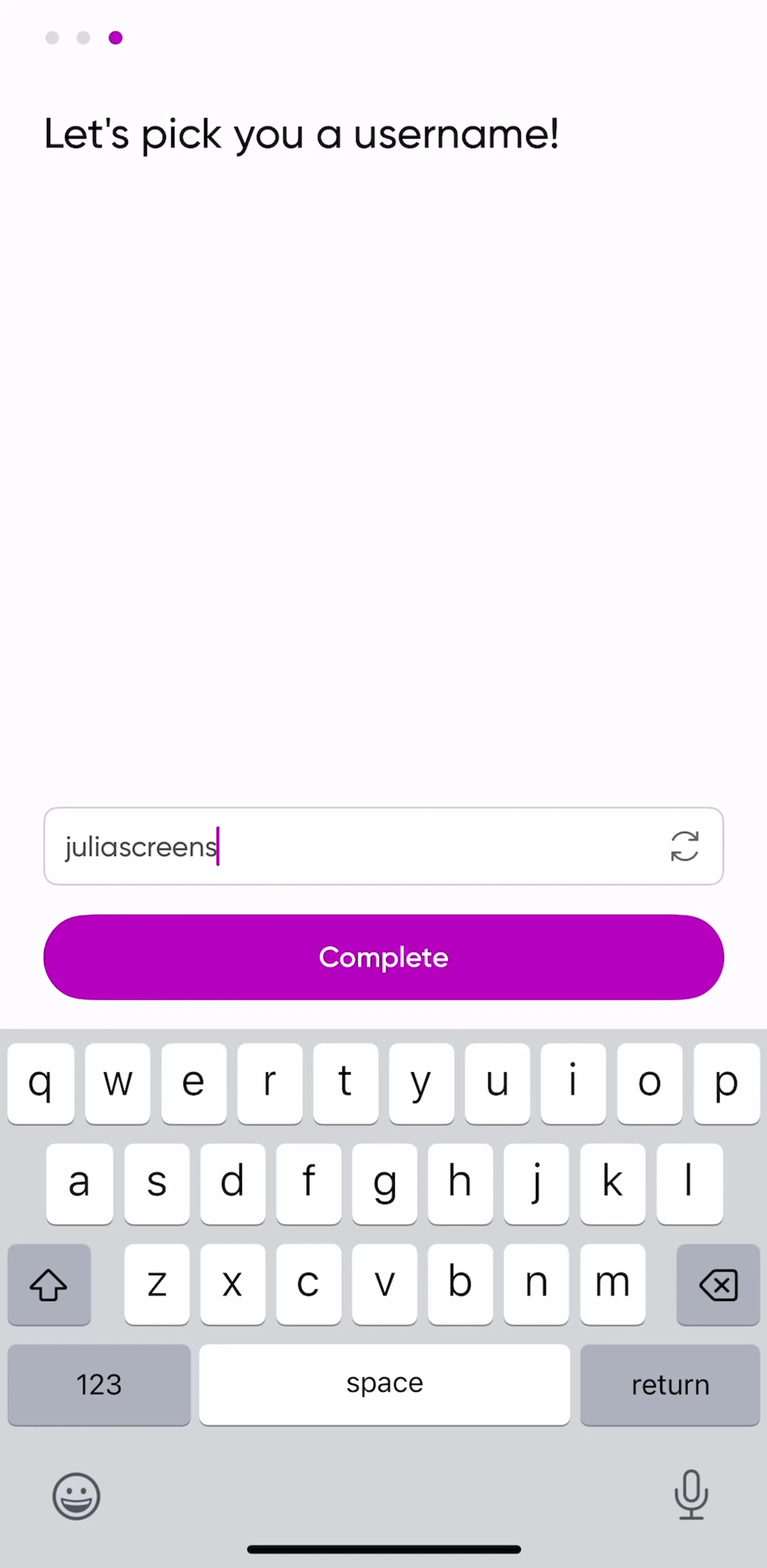
Picsart (est. $5M/mo) marks its account steps with three small dots in the top-left corner of the username screen. Dots this small read as a hint rather than a promise, and they are easy to confuse with the carousel dots on a welcome tour. If you use them, keep them away from swipeable content; our page indicator post covers the carousel version.


Learna (est. $5M/mo) uses a different kind of step list: a checklist that ticks off Creating diverse topics, Preparing interactive dialogues and two more lines while it builds a learning plan. It is a stepper the person watches instead of drives, and it gives a wait a sense of order.
The iOS plus and minus stepper did not appear in any of the 159 screens. That is less a verdict on the control than a reflection of what an app shows first: onboarding, paywalls, settings and a core screen or two, where there is rarely a small number to nudge. Where a number did need changing, LADDER (est. $6M/mo) used a tappable rep count with a chevron and a separate plus button for weight on its workout screen, not a paired stepper. Reach for the classic control when the value is a small whole number that changes one at a time, such as servings, tickets or sets.
Every example above comes from the onboarding flows and the paywall flows in the library.
A note on the numbers: the sample is every free preview screen of the 30 highest-grossing apps in the library, 159 screens, the same screens any visitor sees without an account. A free preview is a handful of screens per app, not the whole app, so an app with no step indicator here may still use one deeper in its flows. Treat every screen described as a dated snapshot. Revenue figures are third-party monthly estimates from our library, useful for comparing magnitude, not audited financials.
The word covers two controls. In most design systems a stepper is a step indicator: a row or column of numbered or segmented steps that shows where you are in a multi-step flow and how much is left. On iOS, Apple uses Stepper for a different control, a pair of plus and minus buttons that nudge a number up or down. When someone asks for a stepper, check which one they mean before you draw anything.
Use discrete steps when the person can count the steps and they mean something on their own, such as Start, Scan, Install. Use a continuous bar when the number of questions is long or changes with the answers, as in most onboarding quizzes. A segmented bar sits between the two: it promises a fixed number of chapters without naming them, which suits a short sequence of three to six screens.
Only when there are three or four steps and the labels are short. Dropbox can label Start, Scan and Install along the bottom of its desktop setup screen because each label is one word. Past four steps, labels get truncated on a phone, so most apps drop them and let the screen title say what the current step is.
It is a vertical stepper that shows what happens during a free trial: what you get today, when the app will remind you, and when you will be charged. In our sample of 30 top-grossing apps, five drew one: Strava, Dropbox, Facetune, Cleanup and AllTrails. It is the most common stepper in the whole sample, more common than any onboarding step indicator.
For small whole numbers that change one at a time and stay in a narrow range, such as ticket count, servings or sets. For anything larger or less predictable, a text field, a picker or a slider is faster. In our sample the classic plus and minus stepper did not appear once across 159 screens, which says more about which screens apps show first than about the control being wrong.
The onboarding and paywall flows in the mobileappdesign library are where most of them live. Every app is captured screen by screen in sequence, so you can see the step indicator change from one question to the next rather than as a single static shot.
Browse captured onboarding flows from revenue-verified iOS apps, screen by screen, with estimated revenue next to every app.
Browse onboarding flows