Mobbin is a genuinely good product, and if you are searching for an alternative it usually means you have a specific job it does not fit, not that it is bad. We build a competing library, so treat this as an interested but honest comparison: below is where Mobbin is strongest, where the main alternatives fit, and the one job we think mobileappdesign does better than anyone.
Mobbin’s advantage is breadth and maturity. It covers iOS, Android, and web, tags screens and flows carefully, and has been at it long enough that the catalog is deep across almost every category. If your work spans platforms, or you want the single most complete reference and do not mind paying for it, Mobbin is the safe default and this post is not trying to talk you out of it. The reasons people look for an alternative are usually narrower: they want free access, they want video, or they want to filter by how much money an app actually makes.
screensdesign takes a different angle: instead of a grid of static screens, it publishes video walkthroughs of individual apps, narrating the flow as it plays. That format is excellent when you want to understand the pacing and motion of a single app end to end, which a screenshot grid flattens. The tradeoff is that video is slower to scan and harder to compare across apps; you cannot line up ten paywalls side by side the way a screenshot library lets you. Use it as a companion for deep single-app study rather than for broad pattern research.
Dribbble and Behance are free and enormous, and for pure visual moodboarding they are hard to beat. The catch is that most of what you see is concept work, redesigns and portfolio pieces that were never shipped, so the flows are not real and the constraints of a live product are absent. They are the right tool for “what could this look like” and the wrong tool for “how do real apps actually structure this step.” If you need shipped screens, you need a library that captures live apps.
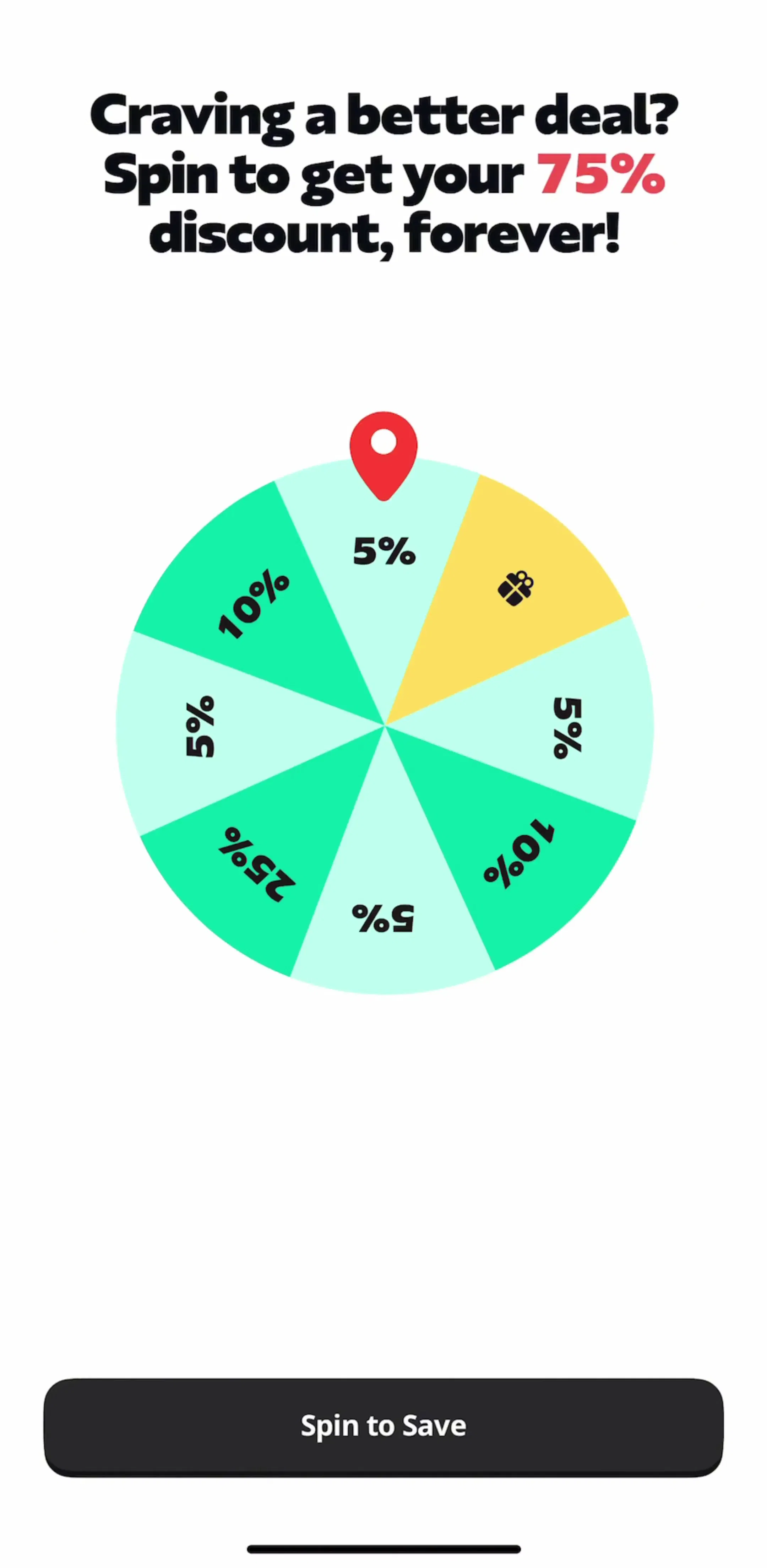
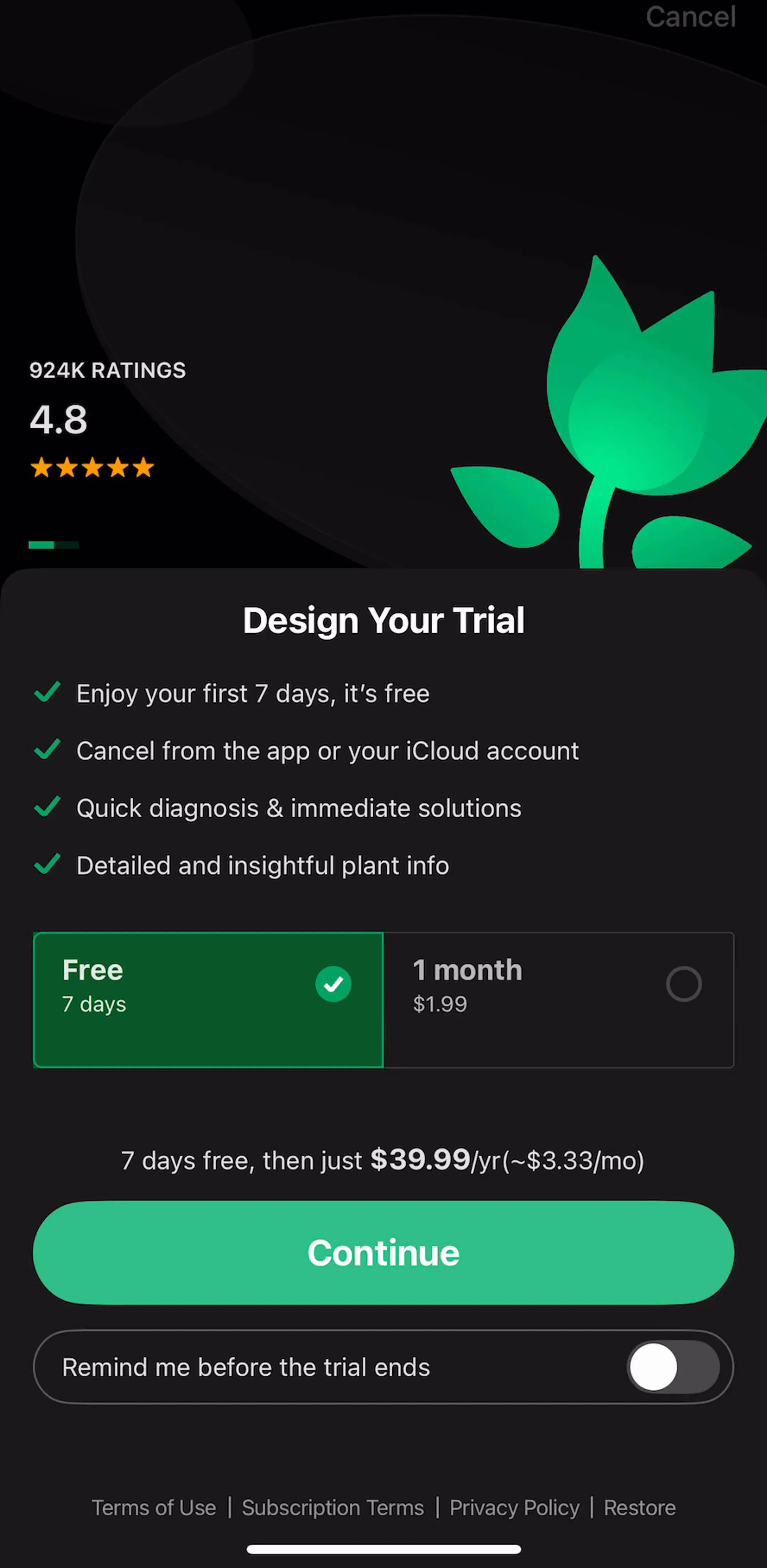
Our angle is deliberately narrow. mobileappdesign is iOS-first and shows an estimated monthly revenue and download figure next to every app, so you can filter the whole library by revenue and study the flows of apps that actually earn. The catalog is organized by journey, so you can compare the same step, every paywall, every permission primer, across dozens of apps at once. It is the tool for a specific question: how do apps at the revenue level I want to reach design this exact screen? Here is what an onboarding flow looks like in the library, with the numbers attached.
The revenue lens changes how you read a screen. A paywall from a $5M-per-month app like Yazio carries different evidence than a beautiful concept with no users behind it, and being able to sort by that is the whole point. We wrote up the recurring monetization patterns in our paywall design breakdown and the flows that feed them in the onboarding guide, both built entirely from revenue-verified apps in the library.
Pick by the job, not the brand. Need the broadest cross-platform coverage with mature tagging? Mobbin. Want to watch one app’s flow narrated end to end? screensdesign. Moodboarding concepts for free? Dribbble. Want to study how high-revenue iOS apps structure onboarding, paywalls, and permissions, filtered by the money they make? That is the job we built mobileappdesign for, and you can preview a set of screens from every app before deciding whether it is worth a subscription.
A note on the numbers: revenue and download figures in the library are third-party monthly estimates, useful for comparing magnitude, not audited financials.
Mobbin is a well-established design reference library that catalogs screens and flows from real apps across iOS, Android, and web, plus marketing pages. It is a paid product with broad, carefully tagged coverage and is one of the most popular tools designers use for UI inspiration and pattern research.
Dribbble and Behance are free but show concept work rather than shipped apps, so they are better for visual mood than for how a real flow is structured. For real shipped screens, most reference libraries including Mobbin and mobileappdesign run on paid plans because capturing and organizing live app flows is ongoing work; mobileappdesign lets anonymous visitors preview a limited number of screens per app for free before subscribing.
mobileappdesign focuses on revenue-verified iOS apps and shows an estimated monthly revenue and download figure next to every app, so you can filter and study flows by how much money the app actually makes. The catalog is organized by journey (onboarding, paywall, permissions, and so on) so you can compare the same step across many apps. It is iOS-first and narrower than Mobbin by design.
Use Mobbin when you need the broadest coverage across iOS, Android, and web with mature tagging. Use screensdesign when you want narrated video walkthroughs of a single app. Use Dribbble for free visual moodboarding of concept work. Use mobileappdesign when you specifically want to study how high-revenue iOS apps structure onboarding, paywalls, and monetization, with the revenue numbers attached.
Browse onboarding, paywall, and permission flows from revenue-verified iOS apps, with an estimated revenue and download figure next to every app.
Browse the library